Markbind - An Awesome Static Site Generator!
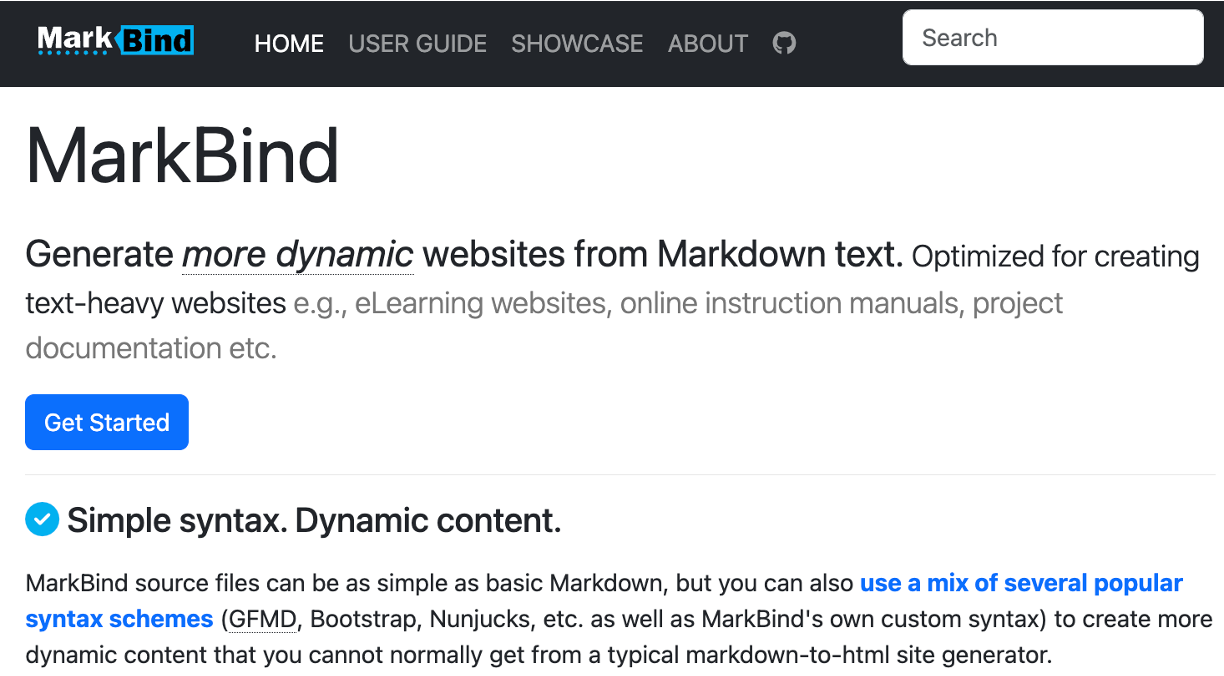
Introduction to Markbind!
Check out MarkBind’s product website here!
Today, I’ll be briefly explaining what Markbind is, what features are supported and just generally exploring the basics!
- If you’ve heard of Jekyll, Docusaurus, or MkDocs, Markbind is pretty similar to those, but optimized and packed with more out of the box features for making informative websites!
Markbind is a Markdown/HTML-to-HTML static site generator designed to help you create dynamic, text-heavy websites with minimal hassle. It comes packed with built-in features that handle the heavy lifting:
- Rich Elements: Built-in selection of icons and emojis.
- Search Out-of-the-Box: Search features built directly into the site.
- Layout Management: Simple addition of navigation menus, headers, and footers.
MarkBind websites also feature reusable components organized for efficiency. The same content can be reused across different pages without duplicating the source files.
Moreover, MarkBind is incredibly easy to use. Optimized for project documentation, it integrates seamlessly into the workflow of any software project.
MarkBind Short User Guide (Installation and Quickstart)
MarkBind requires a recent version of npm package manager as well as Node.js (v22.12 or higher). Below are the three main ways to install and get started with MarkBind.
Installation Methods
Global CLI (Recommended for most users) Allows you to run markbind commands directly from anywhere in your terminal.
- Install MarkBind globally:
1
npm install -g markbind-cli
Verify installation by running
markbind. You should see the ASCII art logo and the CLI usage guide. - Initialize a new project:
1
markbind init
This creates a skeletal MarkBind site with
index.md,site.json, etc. - Preview the site:
1
markbind serve
This generates the site, runs a local server, and opens the live preview in your default browser.
- Updating MarkBind:
1
npm install -g markbind-cli@latest
Authoring Contents
Every file added inside the root directory becomes part of the generated website. A MarkBind source file may contain a mix of several popular syntax schemes. It supports a wide collection of Markdown-like basic content formatting syntax. MarkBind also provides a number of components to enhance the appearance and behavior of your pages.
Here is a breakdown of the extensive reader-facing features supported:
| Category | Description & Supported Features |
|---|---|
| Basic Formatting | Headings, Text Styles (Bold, Italic, Strikethrough, Underline, Highlight, Dim), Blockquotes, Lists (ordered, unordered, nested), Tables, Emojis, Icons, Badges, Info/Warning/Success Boxes, Trees. |
| Interactive UI | Panels (minimal, seamless, danger/warning info states), Tabs, Modals, Tooltips, Popovers, Dropdowns, CardStacks (collapsible cards with optional images/questions), Questions/Quizzes. |
| Navigation & Layout | Nav Bars, Breadcrumbs, Site Navigation Menus, Page Navigation Menus (TOC), Scroll-to-Top Button, Dark Mode Toggle, Search Bars. |
| Advanced & Dynamic | Video/Slide Embeds, Dates formatting, Math Formulae (LaTeX style rendering), Pictures & Annotations, Diagramming support (Sequence, Use Case, Class, Activity, Component, State, Gantt, ER, etc.). |
Examples of MarkBind Websites
You can make some really beautiful and functional documentation websites with MarkBind, and here are some examples:
Development and Project Structure
Arguably, the best part of MarkBind is that it is open source, allowing you to peek under the hood and understand the entire pipeline of how Markdown files are converted into a functioning static website.
Open Source
MarkBind is open source and hosted on GitHub: MarkBind/markbind.
If you want to contribute, take a look at their list of issues and feel free to open a pull request! Or if you want to take a look at the code and understand how it works, that’s pretty cool too!
Monorepo Structure
MarkBind is developed as a Node.js and Vue.js monorepo split into 4 core packages:
1. The Core Library (packages/core/)
This is the engine of MarkBind. It parses, processes, and compiles all the various custom syntaxes into static HTML pages.
- Key Components:
html/: Handles content parsing and mapping elements.variables/: Manages site-wide variables and handles template compilation.Site/Pagemodels: Coordinates site-wide rendering, layouts, assets copying, and page generation.
- Core Dependencies & Patches:
markdown-it: The baseline parser for Markdown syntax, heavily customized with plugins.htmlparser2&cheerio: Used to build and traverse a DOM-like structure for further HTML manipulations (e.g., component replacement).Nunjucks: The templating engine that powers MarkBind’s powerful page-variable system.
2. The CLI Application (packages/cli/)
The interface developers interact with. It consumes the Site model from the core package and translates command-line inputs into actions.
- Key Dependencies:
commander.js: Orchestrates the CLI flags and commands.live-server: Powers the local server and live-reload flow when you runmarkbind serve.
3. The Core Web Bundle (packages/core-web/)
Contains all client-side assets that get injected into the generated HTML files to make the site responsive and styled.
- Bundles critical libraries like Vue.js, Bootstrap, and FontAwesome.
- Houses custom client-side bootstrap scripts, stylesheet overrides, and a server-compatible bundle (
vueCommonAppFactory.min.js) that allows the builder to execute Server-Side Rendering (SSR) for components.
4. UI Components (packages/vue-components/)
A collection of Bootstrap 5 and proprietary components rewritten in Vue.js (v3.x).
- Interactive UI elements like
<modal>,<question>,<quiz>,<popover>,<tooltip>, and<tab>live here to bring static Markdown to life.
Concluding Thoughts
Overall, when I first discovered MarkBind, it was through one of my university modules that i interacted with a website that was generating using MarkBind! At first, I was pretty impressed with all the features that it offered out of the box. Discovering that it was open source, I had a super interesting time looking into the codebase and discovering how it worked.
Eventually, having worked on development, opening issues and PRs and helping to review others’ PRs, and personally implementing more cool features out of the box for MarkBind, I have grown to love the project! It is a super well-documented and well-structured project, and it’s always a joy to work on.
Learnings from my developmental work on MarkBind
I think that this project taught me a lot about software engineering, design principles, collaboration with other engineers, and the importance of documentation and code quality.
Broader software engineering learnings
User-centric design
Outside of all the technical stuff, one key point is that software needs to fit a user’s needs. Sure, there’s a bunch of on the market solutions to documentation websites, but MarkBind offers something unique (content reuse, custom components).
- I’ve used many different Static Site Generators, and I think that it’s important to understand the different use cases, directions of development and tradeoffs between them. It’s not always about choosing the best one, and using it for all your needs, but finding the right one for each use case.
When developing a project, it’s important to understand your target audience, and focus on delivering a product that meets their needs. It’s not always about having the most features, but about having the right features for your target audience.
Importance of Maintainability & Community
Additionally, one thing that stuck with me is that the success of a project isn’t always about number of users, profitability, etc., but I think that maintainability is also a measure of success. If the project isn’t maintainable, it will eventually die off. So always have that in mind from a business standpoint! The community supporting the project and also having a good project manager is essential for the long term success of a project.
Hope you enjoyed this post! Do give MarkBind a try to just check it out, and also do star the repository on GitHub to show your support, it’s always appreciated!